8 phone charging mistakes that can shorten battery life
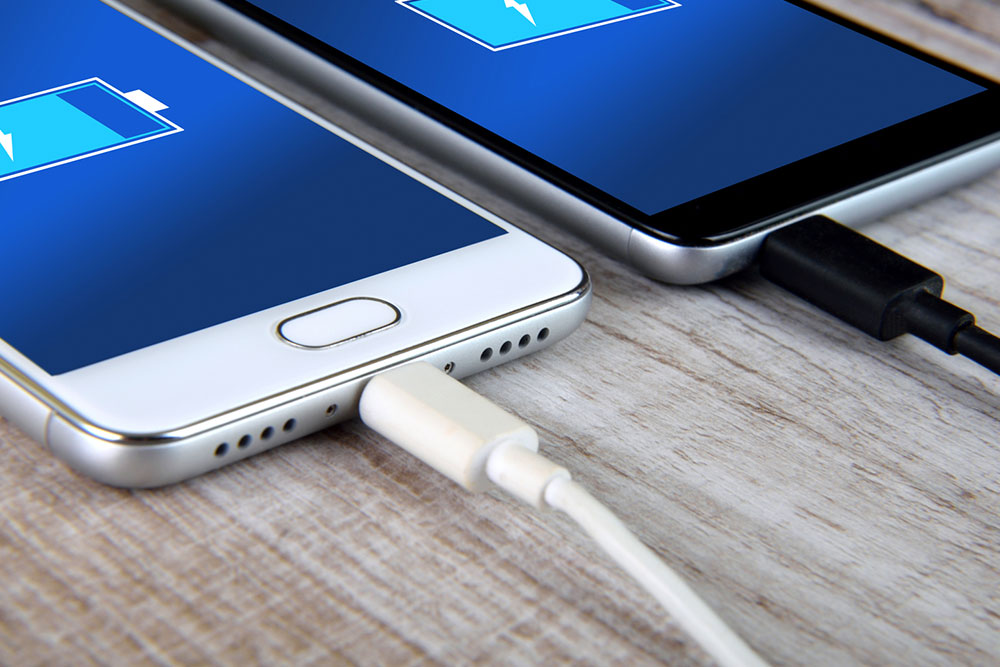
One may have to charge their smartphone at least once every day. Today, in addition to plugging the charger into the socket, one can opt for a wireless charger or power bank. Regardless of the power source, this simple task of charging might become more efficient with certain precautionary measures. Further, certain errors in the process could damage the phone’s battery. So, here are some mistakes to avoid when charging a phone:
1. Letting the phone charge all night
Leaving smartphones plugged in at night is a serious mistake to avoid. While one may want to have a full battery when they wake up, this can lead to a waste of electricity and a higher risk of battery damage. A charging phone draws power from the socket and converts it into electricity to charge the battery. This process generates heat. Further, phones may be left in their cases or on soft surfaces like pillows or beds to charge all night. These surfaces lack proper airflow and ventilation, due to which heat might get trapped in the smartphone and cause a spike in temperature. This overheating and excessive charging can cause permanent damage to the battery. While many modern smartphones come with overcharge protection, leaving the device plugged in could still damage the charger’s onboard chip and prevent the failsafe from working in the future.
2. Charging in extremely hot rooms
As charging electronic devices can generate some amount of heat, charging them in extremely hot environments might not be a good idea. On a hot summer day in a hot room (especially where the temperature goes over 90 degrees Fahrenheit), the smartphone could experience a sudden spike in body temperature. Such persistent overheating is terrible for the smartphone and its battery. As a workaround, one could charge their phones in cooler rooms or environments to prevent overheating. Additionally, one should avoid letting phones charge under direct sunlight to prevent overheating.
3. Using incompatible or cheap chargers
One can find hundreds of inexpensive cables and adapters that claim to charge smartphones quickly. But this may be untrue, especially if these accessories are not sold by the phone manufacturer for the exact model one is using. Using a third-party cable that is not compatible with the smartphone might damage the battery and the charging port, and getting these parts replaced could cost a lot of money. So, one should pay a little extra to get compatible, manufacturer-recommended cables and adapters to protect their device’s battery.
4. Using poor-quality power banks
Power banks enhance the convenience of traveling with a phone, especially when the phone needs to be charged in places without power outlets or during a power cut. However, there is no shortage of inferior power banks that do not offer overcharge protection. So, the power bank could continue to supply power even when the battery is completely charged. This continuous supply could damage the battery. Further, one should avoid using power banks with quick charge options unless they are manufactured by a reputed brand, as excessively high voltage can drastically shorten the lifespan of the phone battery.
5. Charging the phone too often
Phone batteries tend to deteriorate over time. Their lifespan is often affected by daily phone usage and how often the user charges the device. The more frequently a phone is charged, the shorter its battery life. Here, letting the phone reach 100% charge all the time may shorten battery lifespan, making it a key mistake to avoid. Further, one should avoid waiting for the phone to completely die before charging it. If the battery reaches anywhere below 20% and over 5%, one should charge the phone. This is because new lithium-based batteries work in charge cycles, so letting the battery die repeatedly may affect its lifespan and reduce the number of cycles.
6. Using the phone while charging
One may want to keep using their smartphone while it is plugged into a power source. However, constantly playing games, reading something, or streaming content on the phone while it charges can exert undue stress on the battery. Multitasking here can significantly increase the charging time as well. The excessive stress and continuous flow of electricity can strain the battery and shorten its lifespan. So, one should let the phone charge undisturbed to maintain battery health. It is important to remember one does not always have to wait for the battery indicator to show 100% to disconnect the charger and start using the phone. It could be healthier for the battery if one lets the battery reach no more than 80% as much as possible.
7. Leaving the phone case on while charging
As suggested earlier, phones can overheat while charging. Here, leaving the device to charge with a case on can make the phone retain heat. With the case limiting heat displacement, overheating can damage not only the battery but also the phone’s processor. Further, wireless chargers can cause phones to heat up more than regular cables. So, one should try to remove the phone case while charging the phone.
8. Using unknown battery tracking apps
Certain phone applications can help users track their device’s battery life and performance; however, the apps can end up draining phone batteries much faster. This is especially true if the app is developed by unknown sources and is not recommended by the phone manufacturer. While certain battery tracking apps could help one track their daily power usage, the tool itself might have a lot of hidden bloatware that may affect battery life and performance. Moreover, it may also run ads and other software in the background without user consent. So, one should only opt for top-rated, reliable battery tracking apps. Alternatively, many smartphones today come with inbuilt features that let one track and improve the battery life, eliminating the need for third-party tools.