10 mistakes to avoid while using wireless earbuds
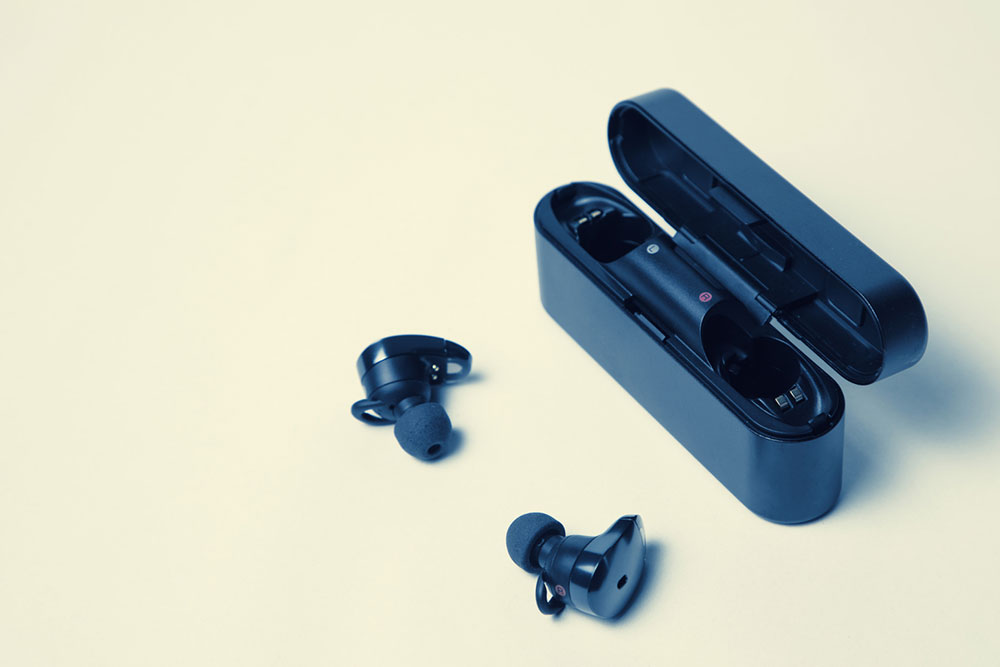
Listening to one’s favorite playlist and watching streaming videos with the device placed at a distance have become incredibly convenient with wireless earbuds. Today, several brands offer premium wireless earbuds with exceptional sound quality, portability, and noise cancellation, making them popular choices for accessing different types of audio. Caring for one’s wireless earbuds is essential to ensure their durability and reduce maintenance costs. Here are some mistakes one should avoid with wireless earbuds:
Leaving active noise cancellation on when not required
Today, several earbuds have the active noise cancellation (ANC) feature, which helps reduce background noise. While availing of this feature significantly enhances audio quality, ANC typically reduces the earbuds’ battery life and eventually diminishes sound quality, often causing music to sound highly compressed. Therefore, it is best to turn off ANC when using wireless earbuds in a quiet environment that does not require noise cancellation.
Not downloading companion apps
Many manufacturers of premium wireless earbuds have come up with companion apps, which not only allow users to increase their earbuds’ battery life and update firmware but also offer several other cutting-edge features to elevate one’s listening experience. For instance, many companion apps allow users to pick specific gestures, such as double-tapping the right earbud to receive a call, to perform certain actions or opt for advanced ANC and EQ control. Thus, users should download companion apps and explore them for such features.
Forgetting to close an empty case or leaving earbuds outside the case
A disrupted connection between the contact points on earbuds and the ones inside the case can cause earbuds to eventually stop charging in their case. A common reason for this connection disruption is the accumulation of dust or grime on either of the contact points, which may occur when earbuds are left outside their case for a long time, or the case is not closed when empty. These steps should be taken to ensure the longevity of wireless earbuds.
Buying earbuds that don’t fit right
The silicone or memory foam tips of earbuds are typically available in three sizes – small, medium, and large. It is essential to try out each of these sizes to determine the earbud size that fits one perfectly. This step prevents the earbuds from repeatedly falling off one’s ears or clogging up one’s ear canal. The best wireless earbuds should allow one to perform physical activities effortlessly with the earbuds intact throughout. These days, several brands offer ear tip fit tests to not only gauge the right size of earbuds but also to ensure passive noise cancellation and optimal functioning of the ANC feature.
Not taking good care of the charging case
The charging case is crucial for the earbuds’ durability and good condition; therefore, it is important to take care of the charging case by cleaning it frequently and not overcharging the device, as it can lead to overheating. One should also avoid leaving the case exposed directly to the sun for long periods.
Falling asleep at night with the earbuds on
While earbuds may be an excellent choice to listen to one’s favorite lullabies with the best sound quality, one should remember to take off the earbuds and place them back into the case before falling asleep at night. Dozing off with earbuds on may prove harmful to one’s ears, sealing moisture in the ear canal and giving rise to ear infections and accumulation of earwax. It can also affect the longevity of one’s earbuds.
Not storing the earphones right
Storing one’s earbuds in the right place is another essential aspect of ensuring durability. For example, placing them in one’s pocket along with objects like keys, coins, and watches can cause them to break easily. Therefore, it is important to place them inside their cases and store them in cool, dry places. Moreover, one should avoid packing them with sharp or metallic objects while traveling.
Not researching the various features that the model entails
Technological advancements have led to the manufacturing of high-end earbuds with plenty of cutting-edge features, which enhance user experience considerably. Some such features include capacitive touch control, environmental noise cancellation technology, quad mics, and long hours of playtime. Such features should be actively explored so that one can make the most of the earbuds chosen.
Playing music and other audio files at extremely high volumes
Playing loud music or watching a series at very high volumes may provide an immersive experience sometimes, but it can be detrimental to one’s ears and earbuds in the long run. Thus, it is imperative to avoid listening to any audio file over a certain permissible volume, preferably 60-85 decibels.
Exposing earbuds to moisture before checking their IP rating
Exposing earbuds to moisture when they are not waterproof can cause colossal damage to the device. One way to gauge the extent to which they are waterproof is to check their IP rating. If the second digit of the IP rating is anywhere close to seven, it may be safe to have the earbuds on while having a shower.
In addition to the points mentioned above, here is a handy tip to optimize the sound quality and comfort of the earbuds. It is important to change the earbud sleeves at regular intervals. This process helps prevent the accumulation of dirt in the folds, ensuring that the earbuds continue to perform exceptionally even with time.